Multiply (Creador Foundation, via HumanX) · 2021
MultiplyFinancial literacy that respects the learner
A mobile-first, regional-language platform for working-class Indians to learn taxation, loans, retirement and budgeting: designed so a first-time saver doesn't have to feel like a first-time saver to use it.
- Role
- UX designer at HumanX, with a senior designer
- Client
- Multiply (Creador Foundation, via HumanX)
- Timeline
- 3 months, 2021
- Platform
- Web and app, mobile-first
2021
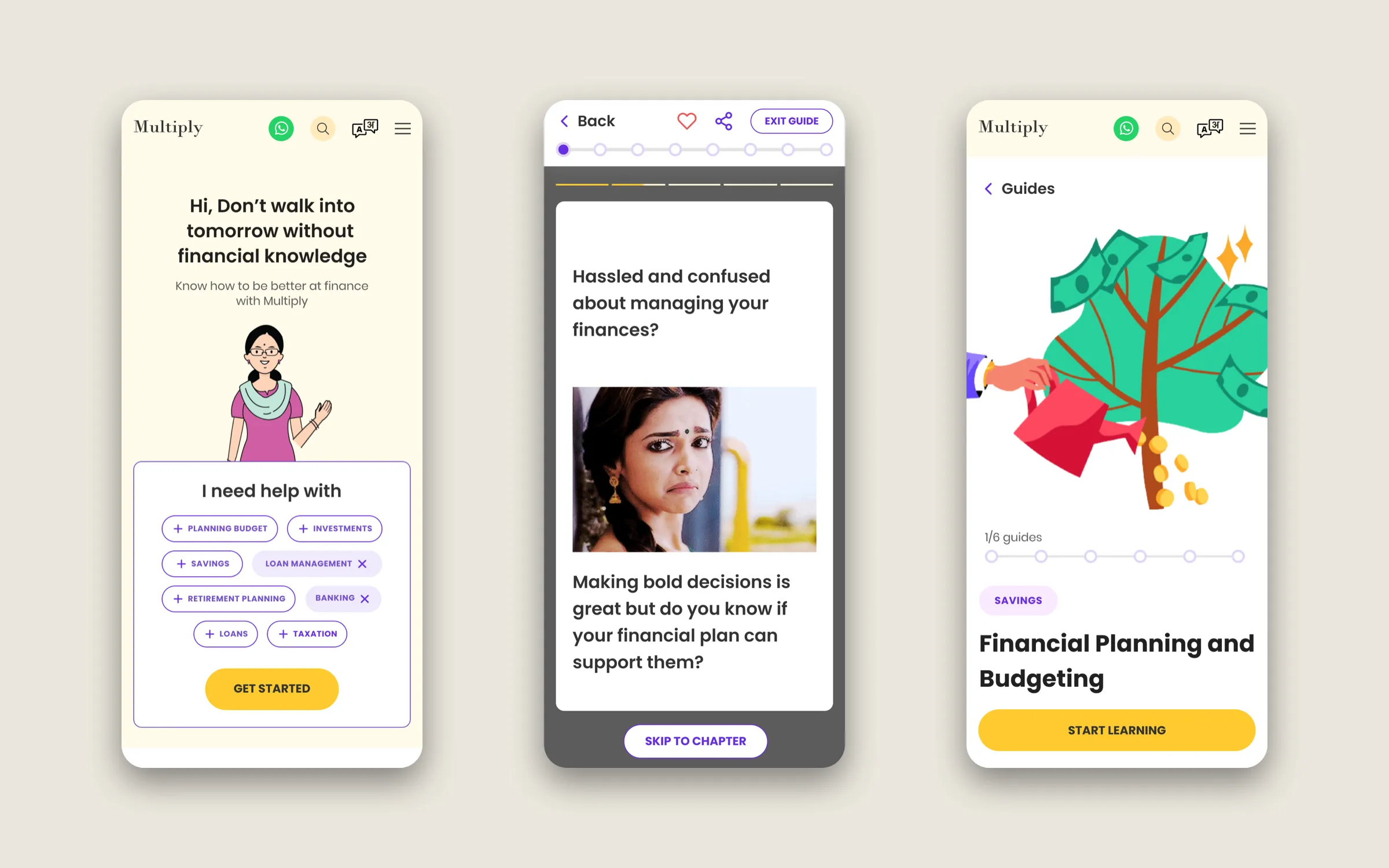
Multiply’s first product in India: this mobile-first web app
1.3M
Women reached across India since, as Multiply moved to YouTube, Facebook and WhatsApp
Sources: Project Tech4Dev, June 2025; ElevenLabs, March 2026.
The context
Multiply is a non-profit financial-literacy initiative from Creador Foundation: free, neutral and carefully researched. The audience: working-class Indians who’ve never had a bank teller walk them through compound interest, and who are, rightly, wary of any platform promising to fix that.
It was a new project for Creador Foundation. Finance isn’t taught in school, and it isn’t something people talk about much, so the aim was to make that education accessible to every kind of person. We were hired to design the platform. There was no existing product to redesign, and little for this audience to learn from at all, so we benchmarked finance products and drew out seven areas of opportunity: discovery, clear communication, nudges, visualisation, personalisation, content formats and social proof. The brief was broad (teach personal finance across taxation, loans, investments, retirement, and budgeting), but the harder question came from the audience, not the syllabus:
How do you teach someone something they’ve been made to feel bad about not knowing, without patronising them further?
Before we drew a screen, we agreed on who we were designing for. A composite from the research:
- Lives on a phone, not a laptop. If they own a laptop, they don’t use it for anything personal.
- Speaks and reads their regional language more comfortably than English, and does financial reasoning in that language even when they can read English fine.
- Is skeptical of financial platforms. Every ad they’ve seen has been selling something. A non-profit platform still has to earn the same trust.
- Has small windows of attention: a bus ride, a lunch break, a wait at a shop, not hour-long study blocks.
- Wants to feel competent, not lectured to. “I know some of this already” is a defence against being talked down to; it’s also often true.
Two constraints came first and shaped everything after them. Mobile-first: the phone was the reference platform for web and app, so every interaction was designed for a thumb on a bus, not a cursor on a desk. Regional languages from the first wireframe: English-only would have shut most of this audience out, so the language choice came before the first content screen and every layout had to survive a longer word.
We set out to make learners feel smart, not tested. And we shaped the product as well as the screens: the five features below came out of our research and benchmarking, and we proposed them to Creador Foundation.
Key decisions
Decision 01
An experience tailored for the individual
- On the table
- The same guides for everyone
- Guides recommended by stage of life
- What I chose
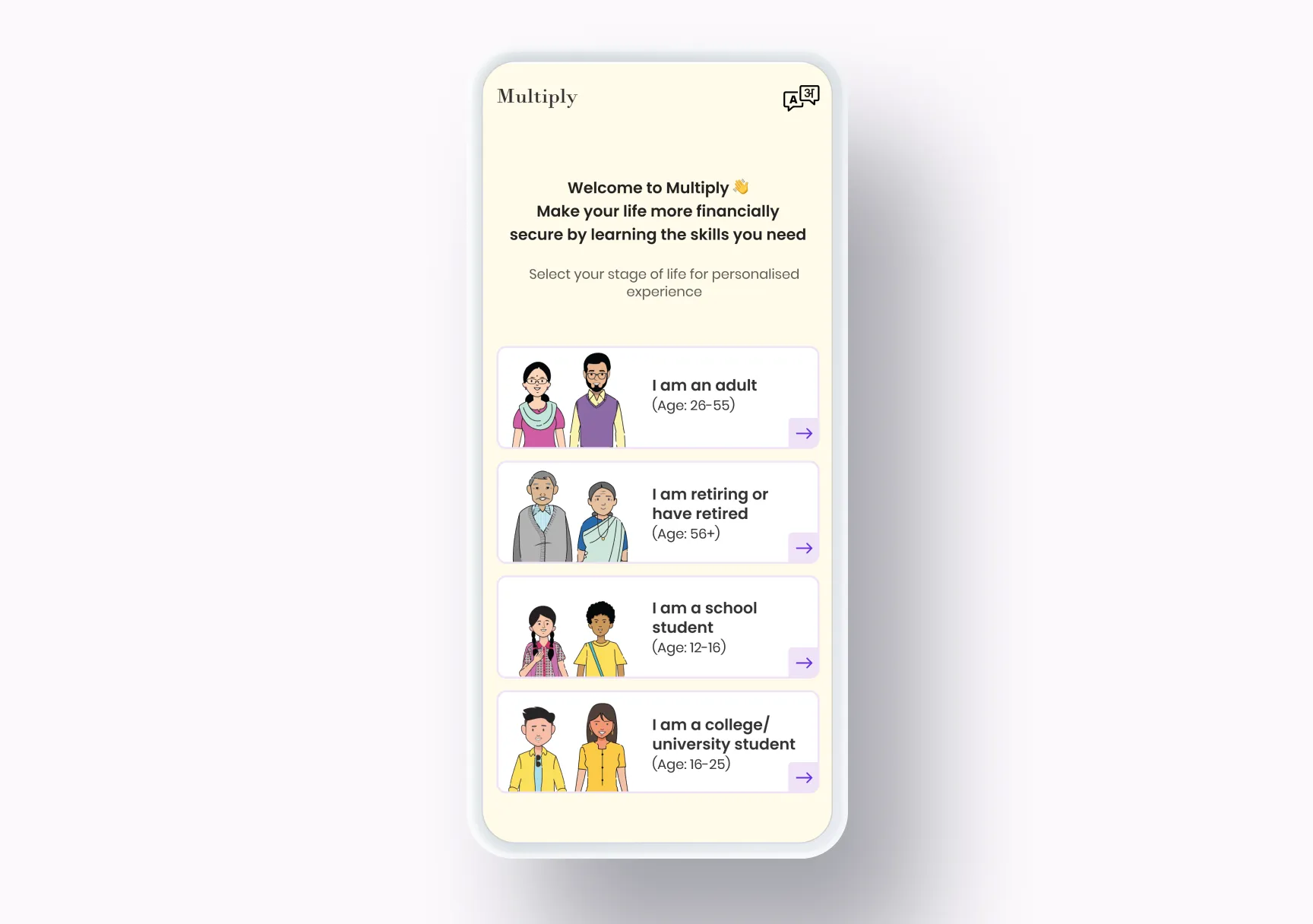
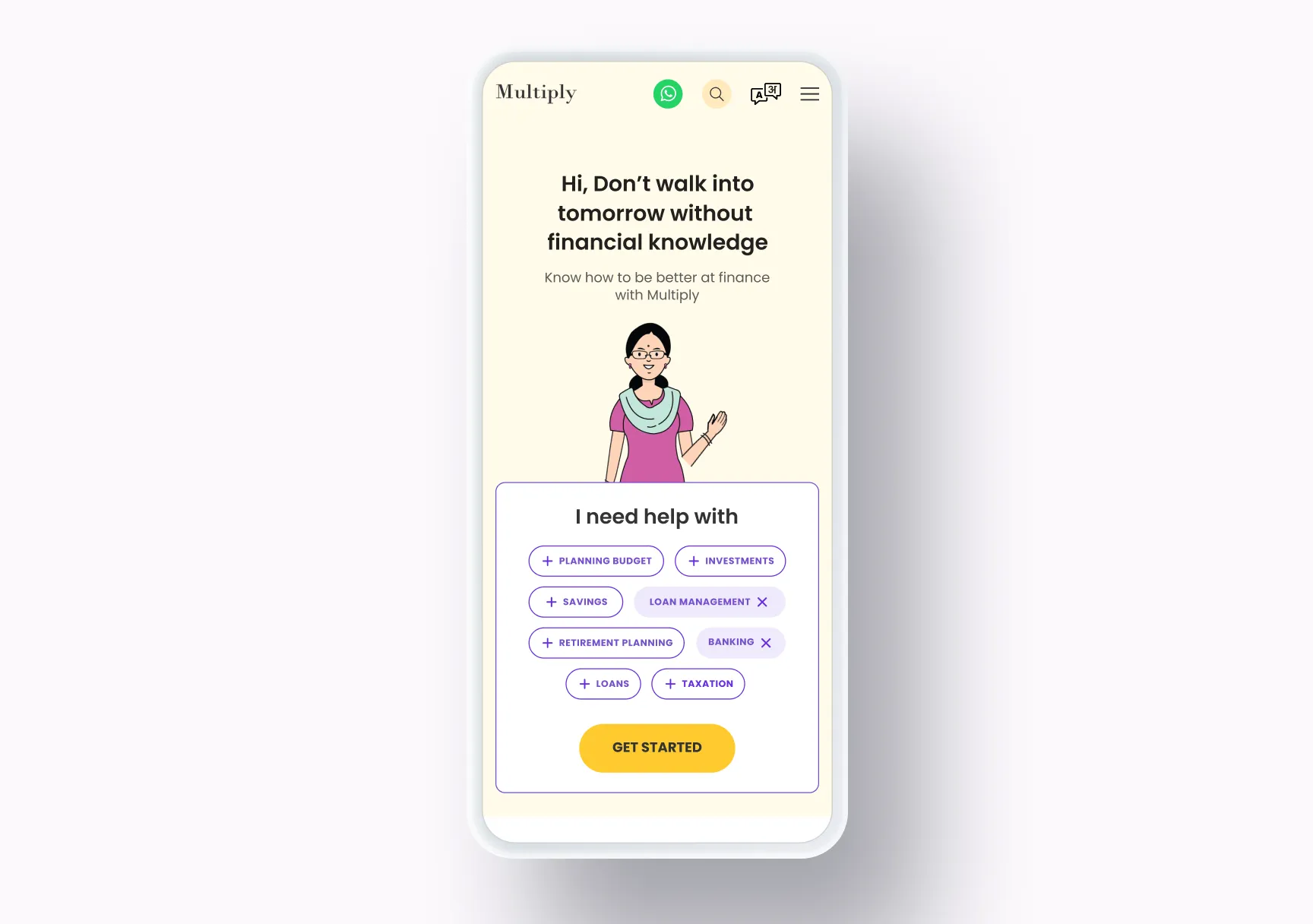
- The first thing a learner does is pick their stage of life, and the guides recommended to them change with it.
Why
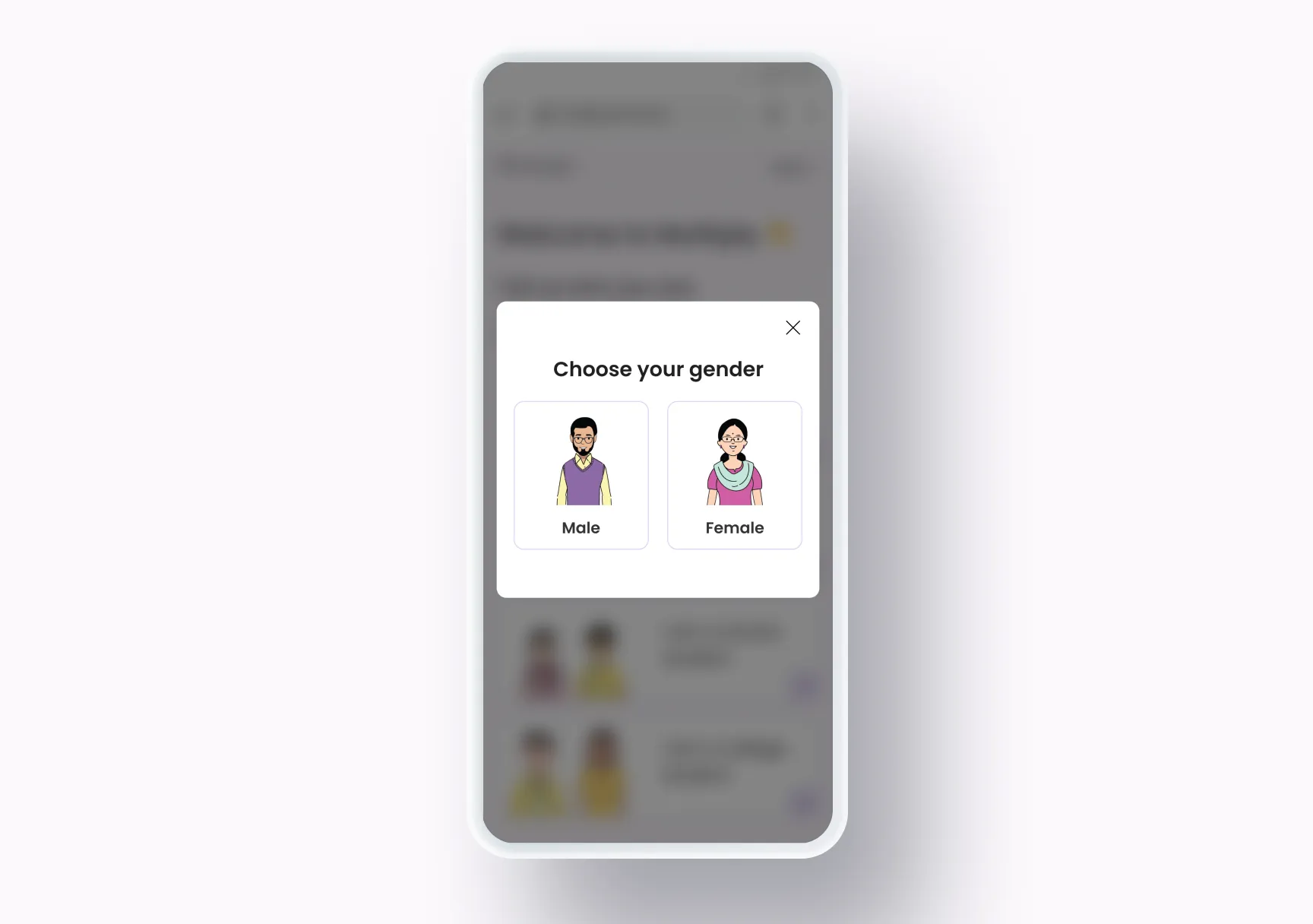
“Every kind of person” meant a school student, someone with a first paycheque and someone about to retire, and they don’t need the same starting point. The welcome screen asks which one you are (an adult, someone retiring or retired, a school student, or a college or university student), and the guides recommended to them are chosen for that stage.
Decision 02
Learning made easier
- On the table
- Plain explanations
- Relatable cards with memes and movie references
- What I chose
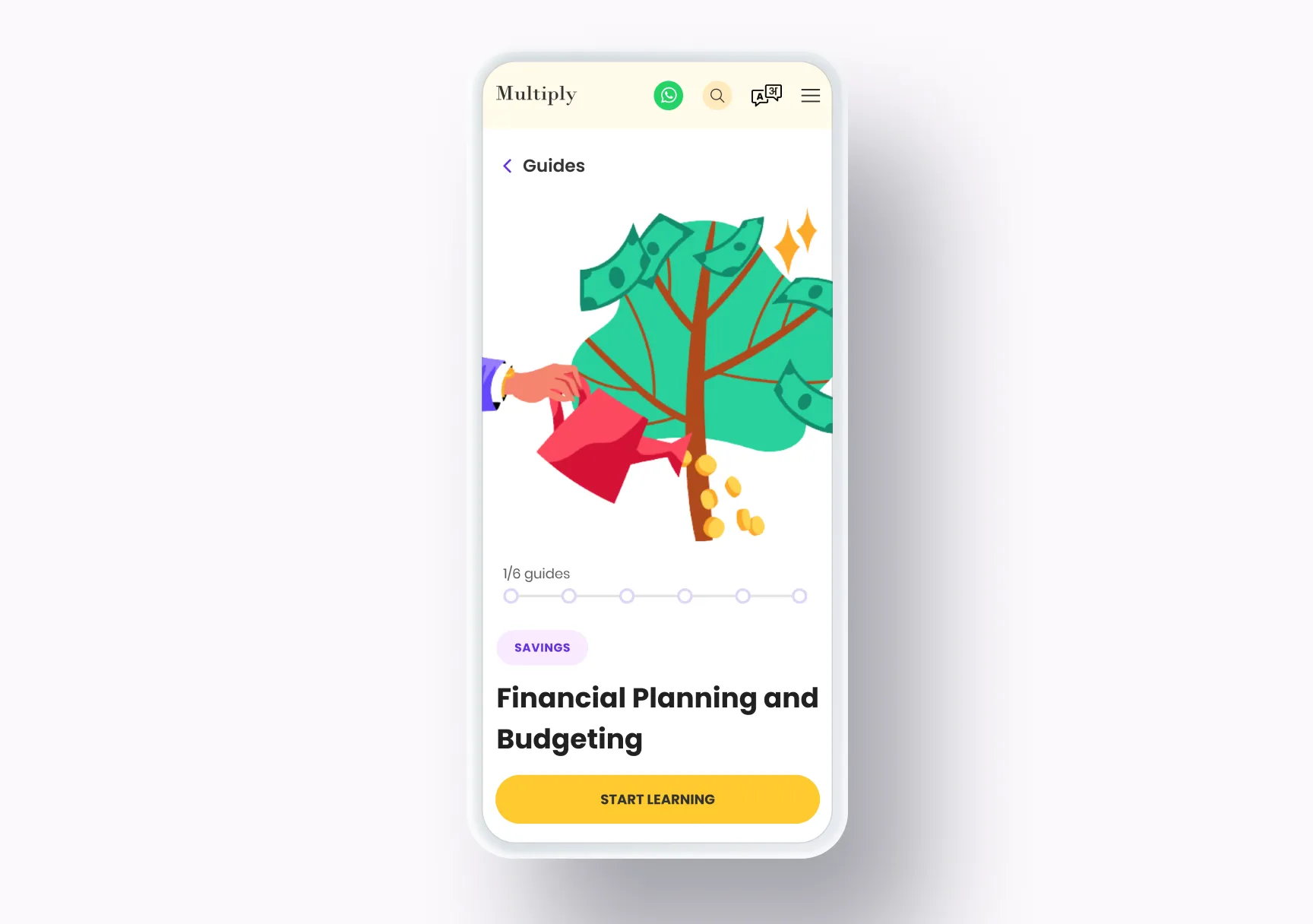
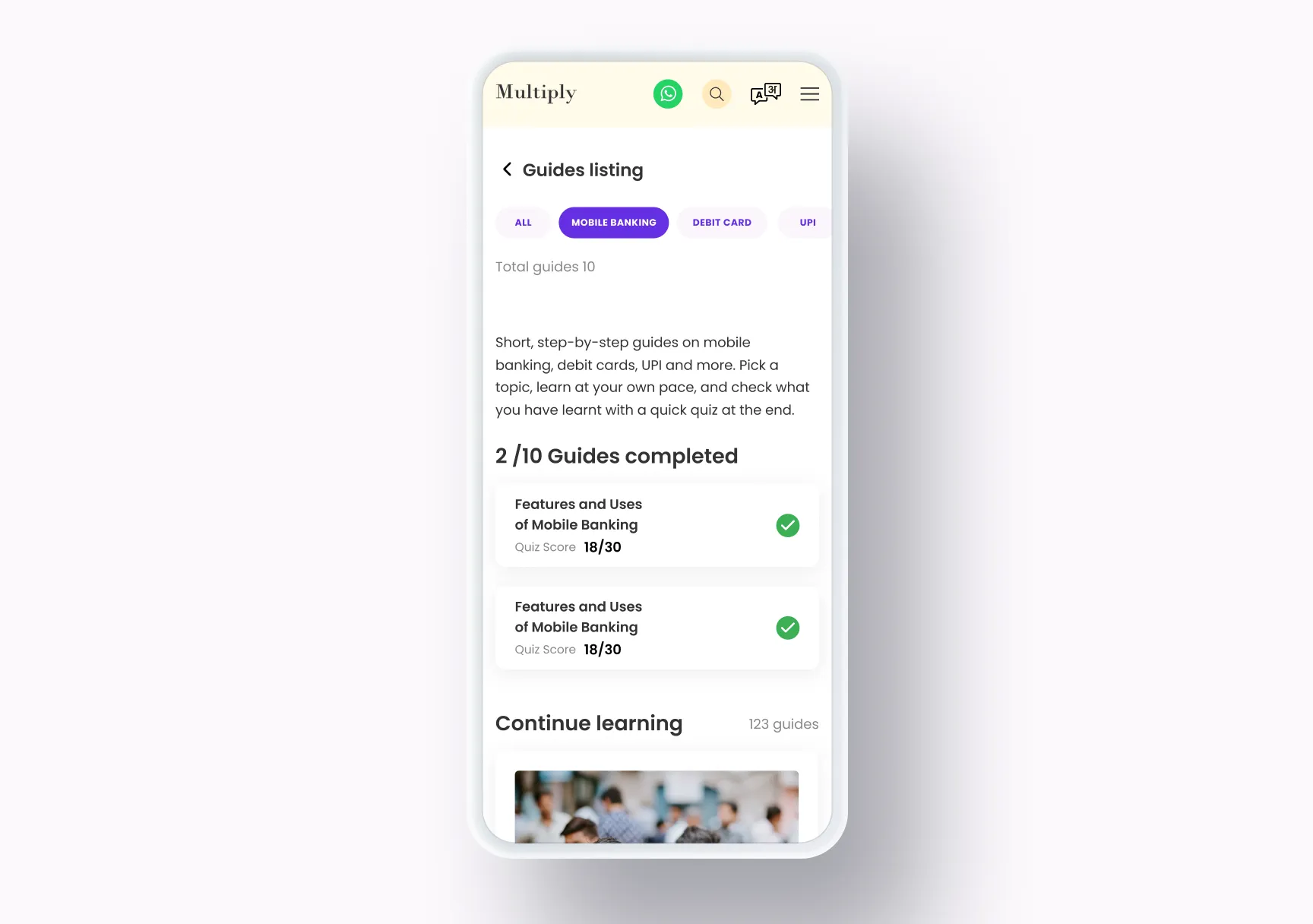
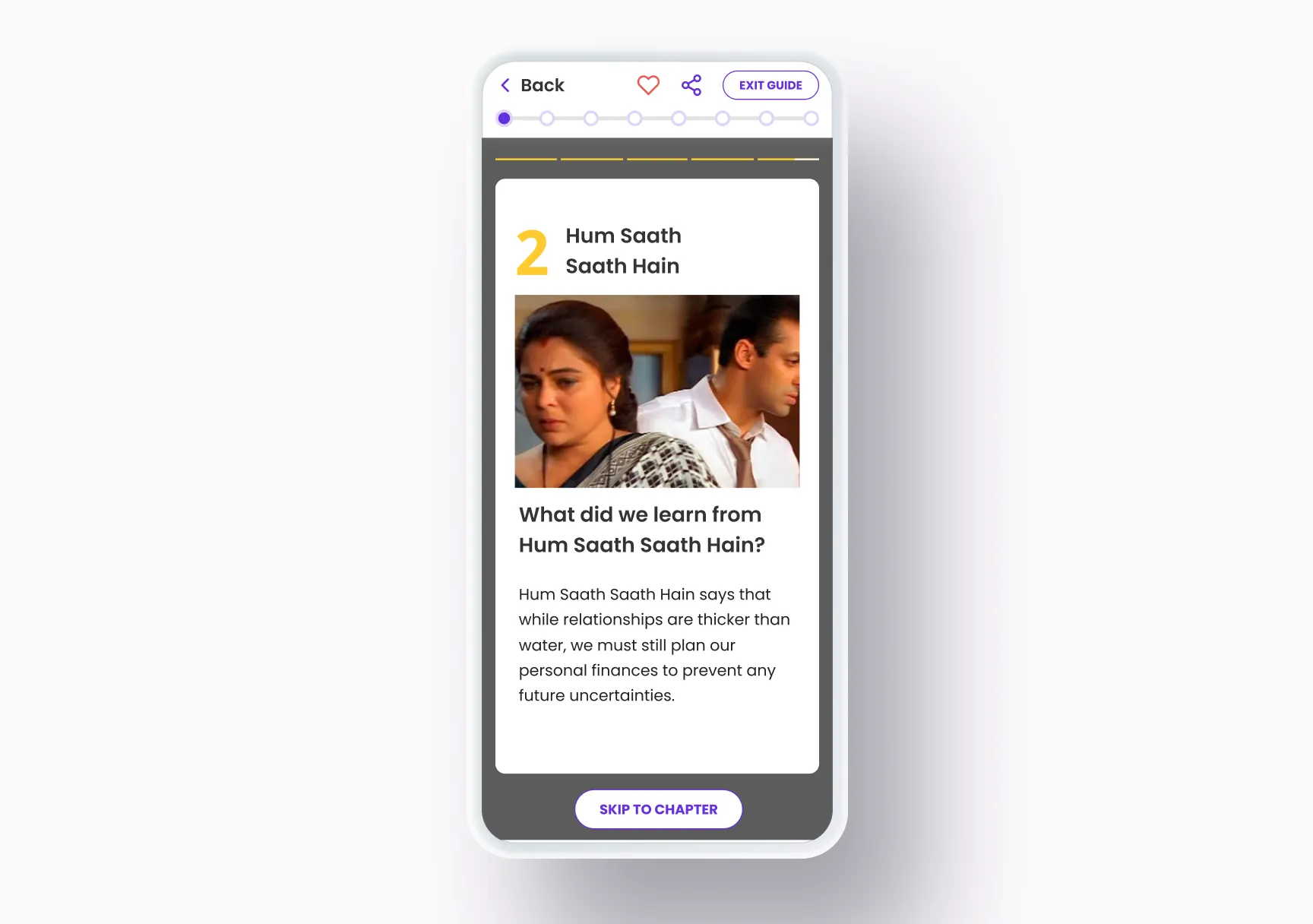
- Guides broken into chapters and taught one short, relatable card at a time, with memes and movie references and progress always visible.
Why
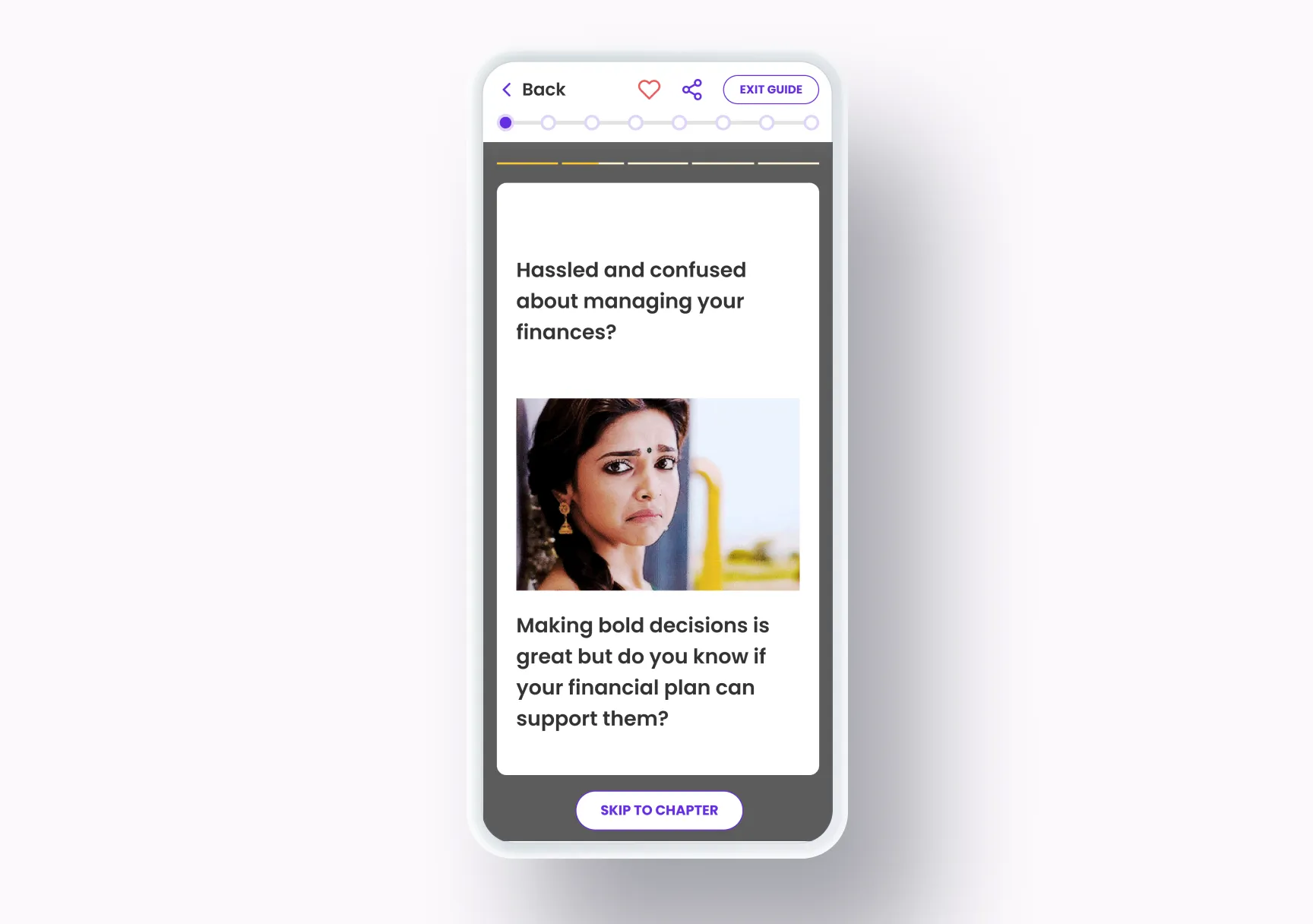
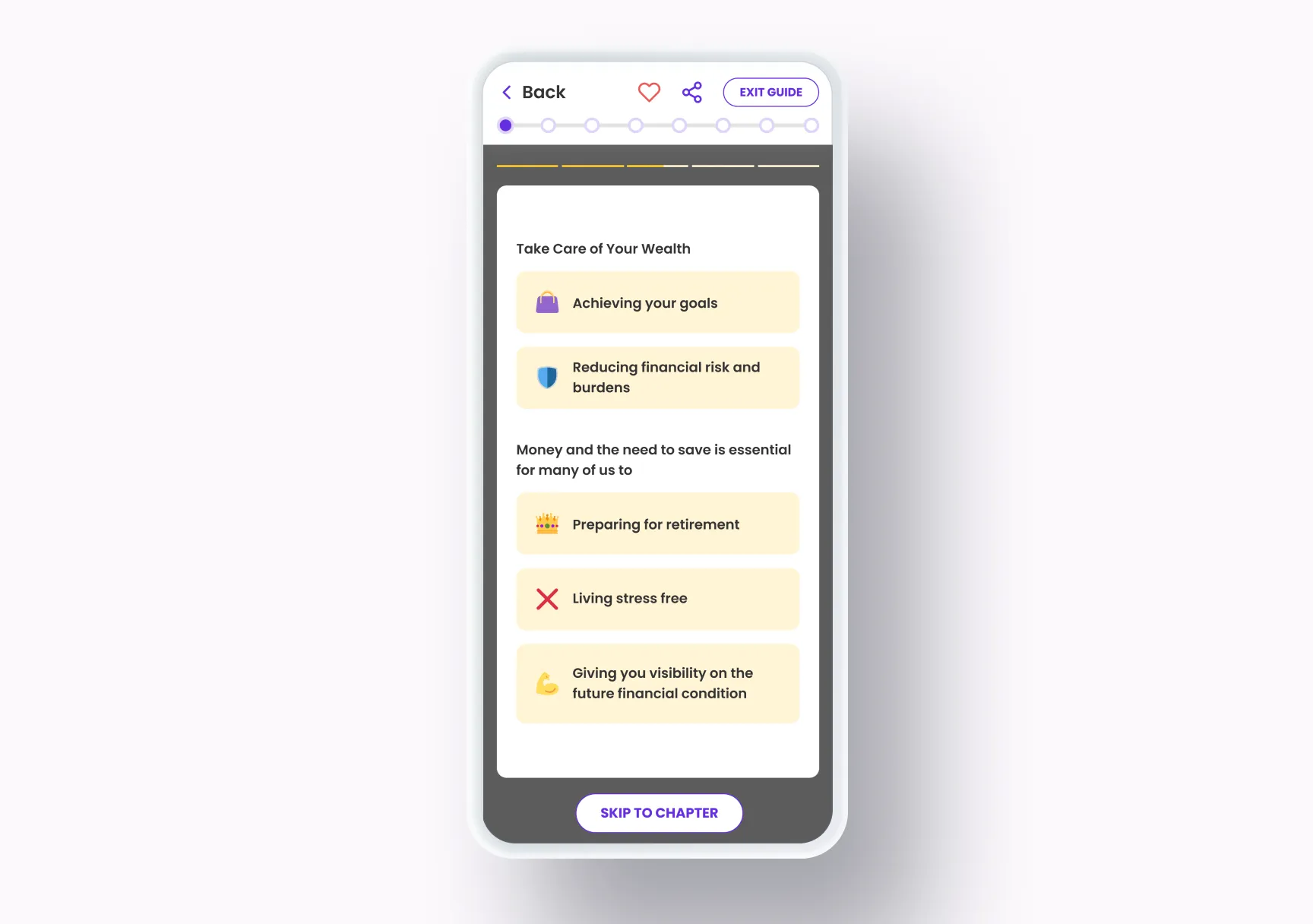
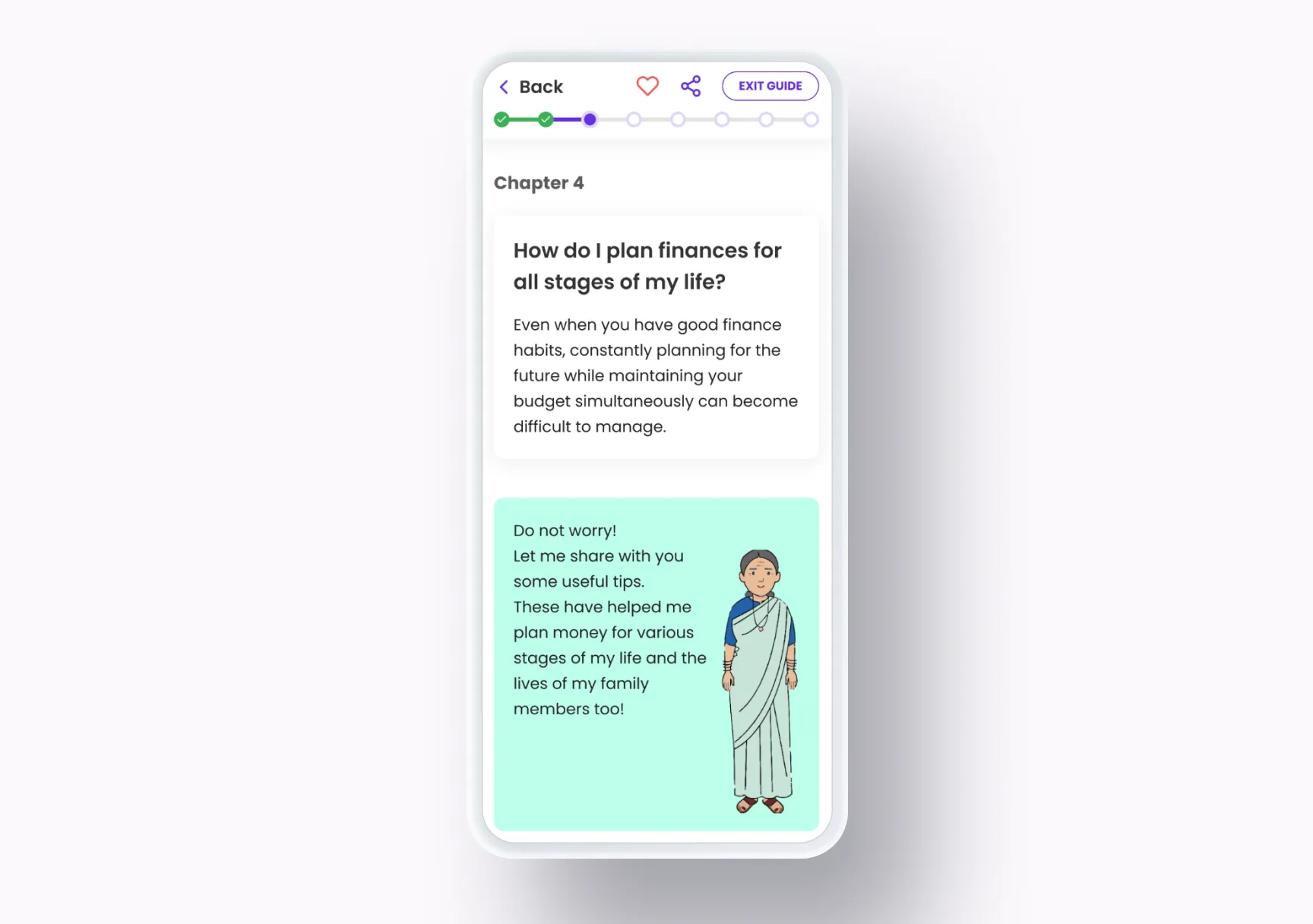
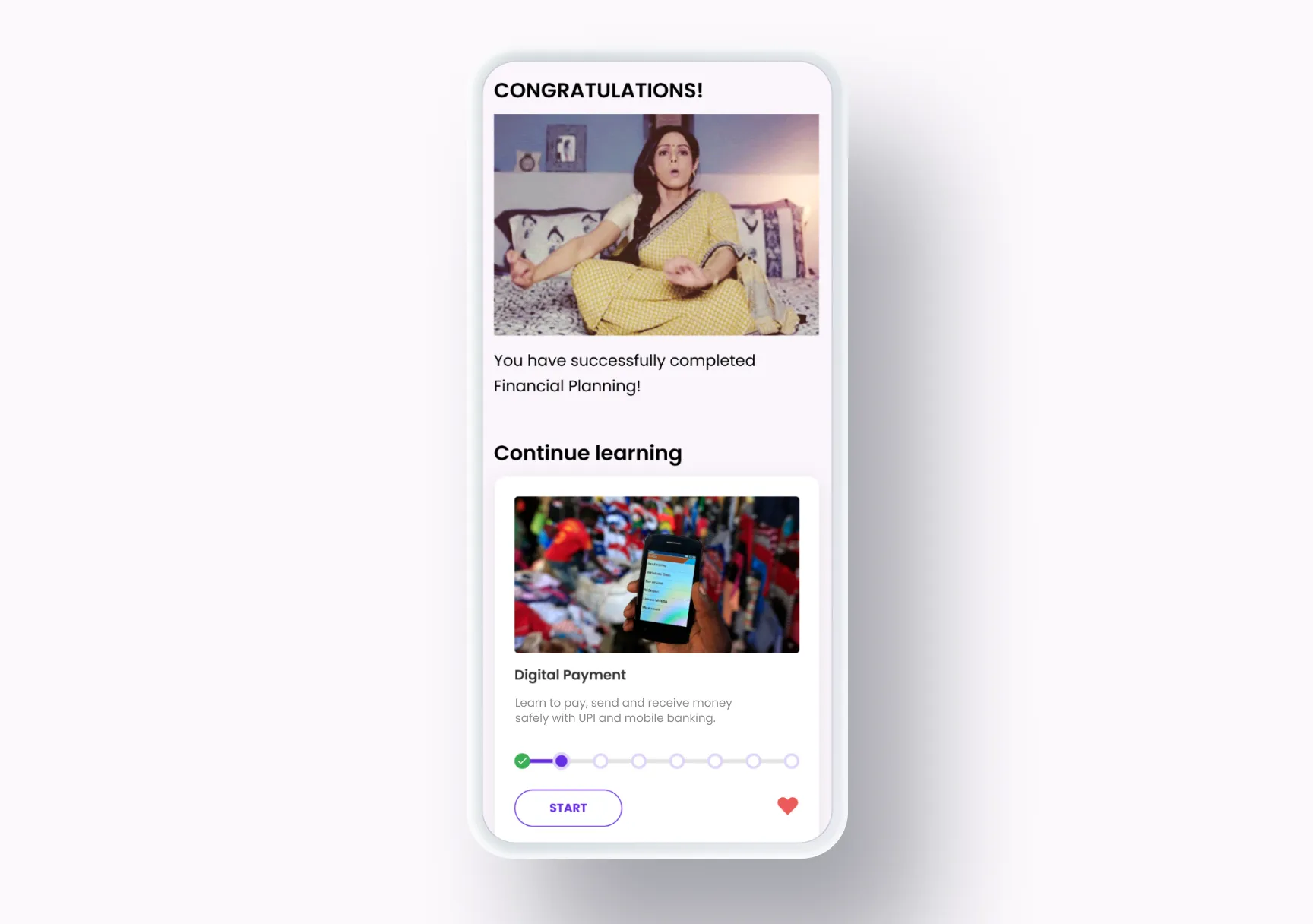
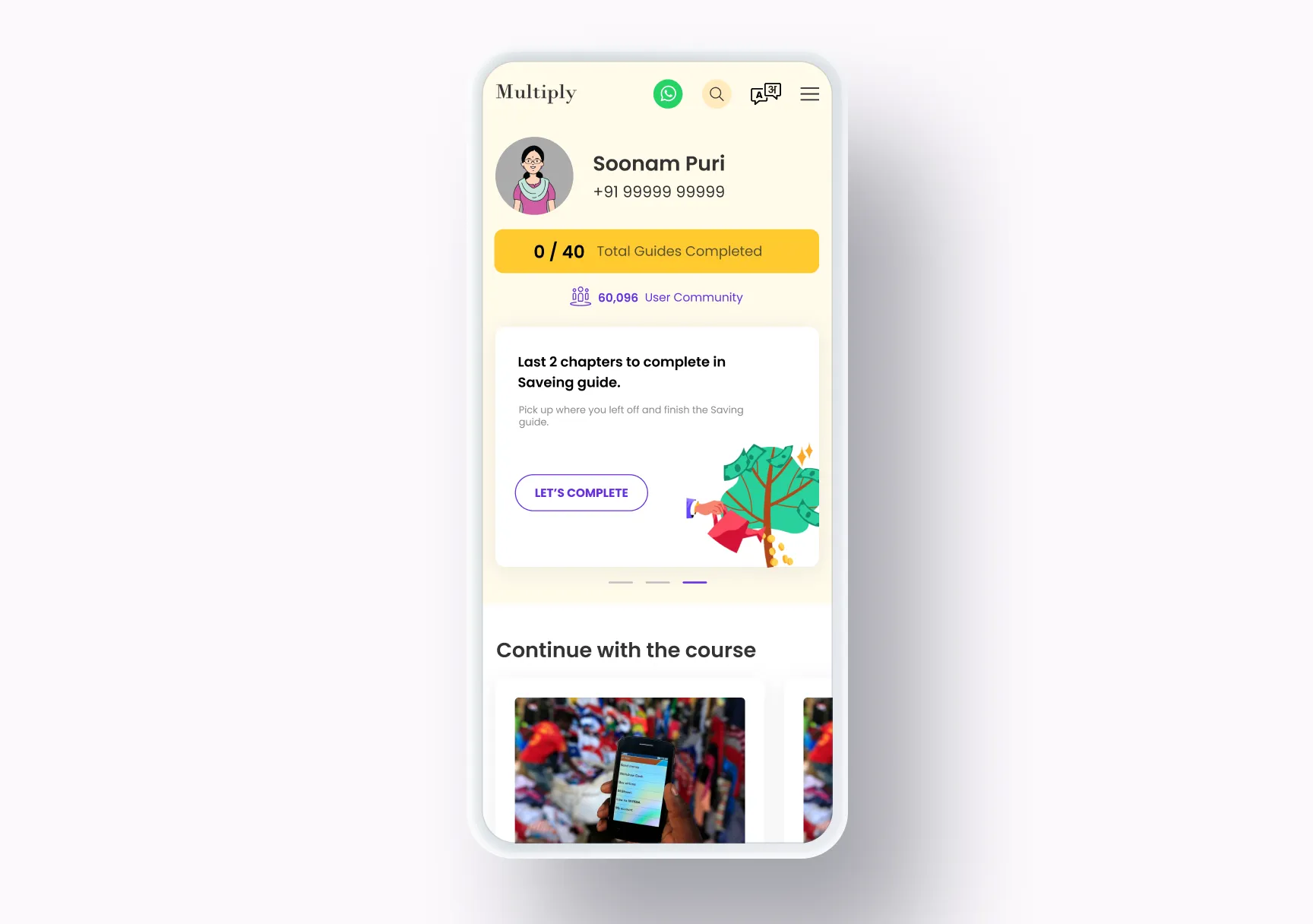
Before Multiply, this audience had nothing to learn from. Finance is a graph, not a list: every concept depends on the ones before it, so each guide was broken into chapters in that order, with a progress track showing how far along you are. Inside a chapter, ideas come one short card at a time, starting from a worry the learner already has (“Hassled and confused about managing your finances?”), and a character steps in with tips along the way. To make it relatable, the cards use popular memes and movie references: a familiar face looking confused says “this is hard” faster than a paragraph can, and it makes the topic feel less like a textbook. A learner can skip to a chapter, save the guide or share it, and finishing one leads straight to the next.
Decision 03
A jargon dictionary
- On the table
- Leave the jargon to the lesson
- Let learners look any term up
- What I chose
- Financial terms can be looked up two ways: in-line while reading, or on a dictionary page of their own.
Why
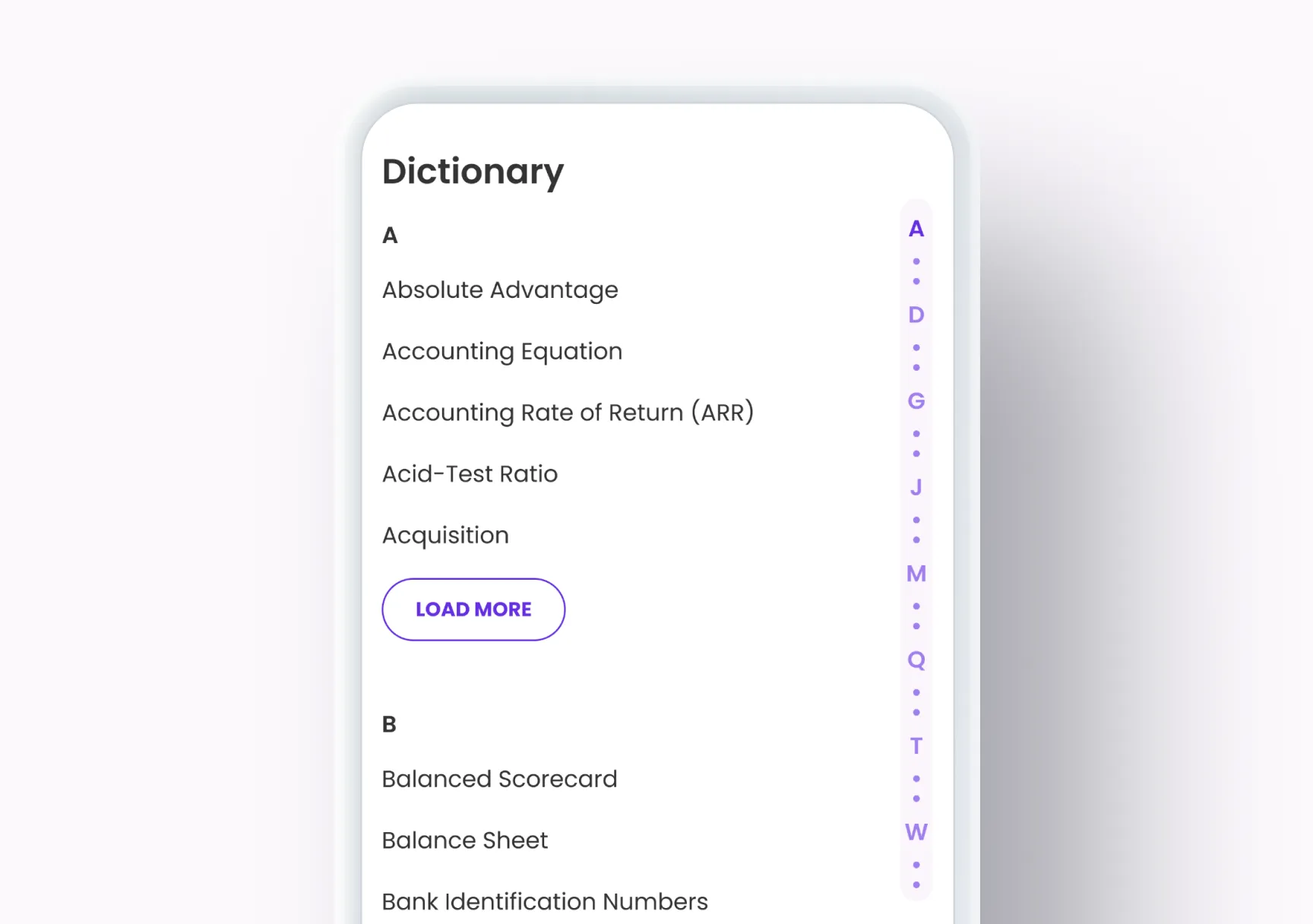
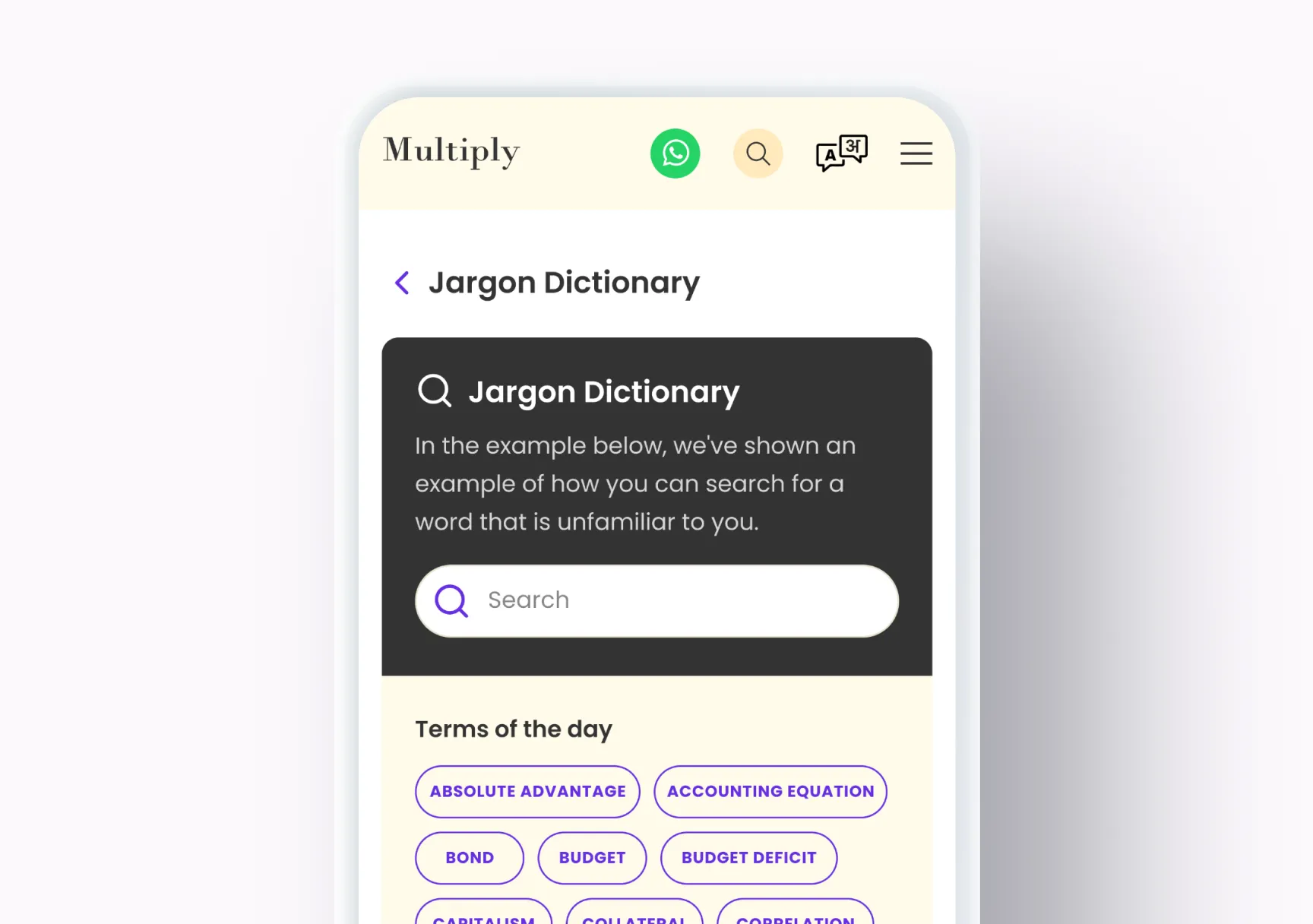
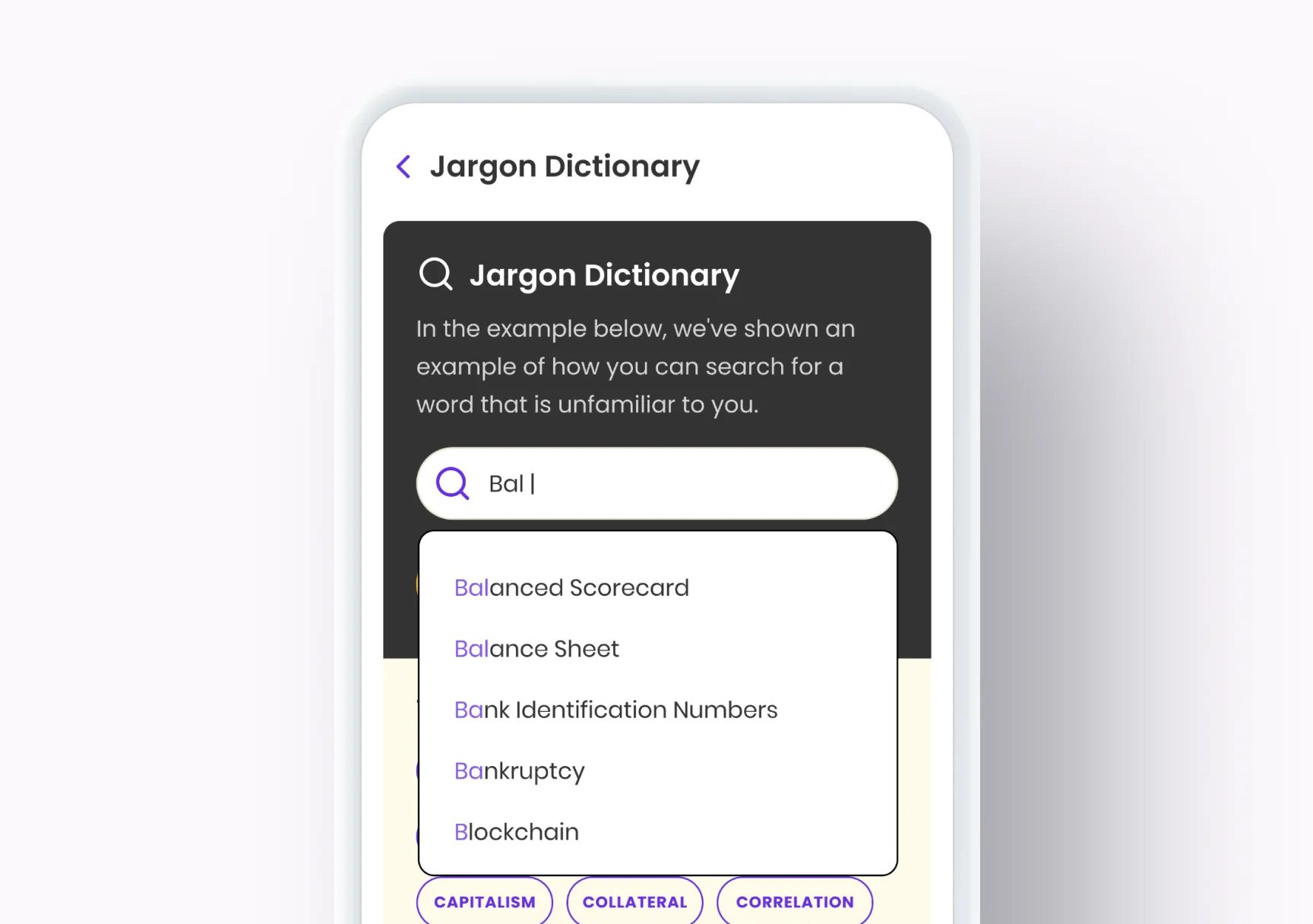
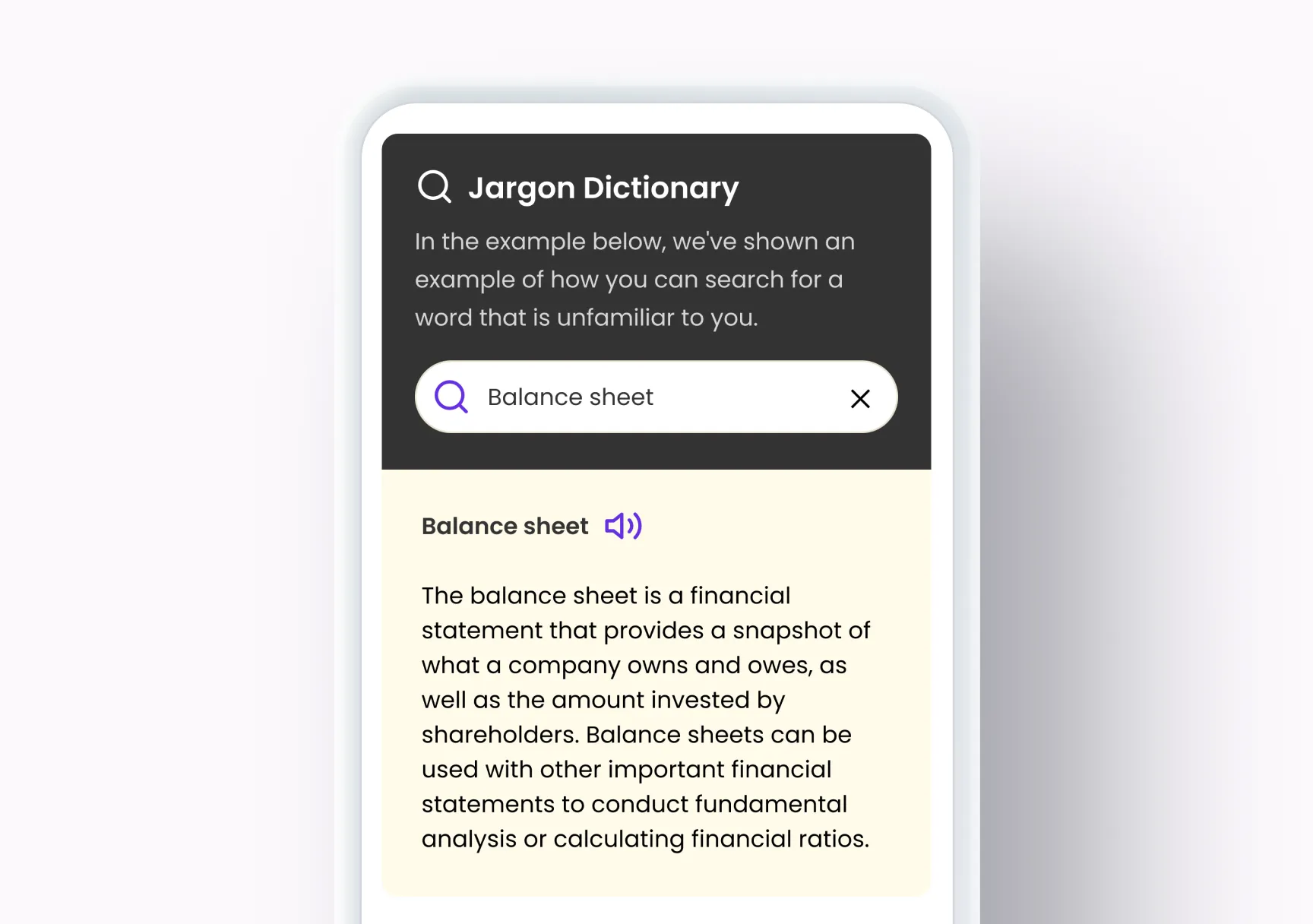
Finance is a language before it’s a subject. Words like deductible, EMI, SIP or TDS get thrown at learners without explanation. While reading a guide, a learner could look a term up in-line without leaving the lesson. The Jargon Dictionary page does the same for anyone who wants to browse or search: terms of the day up top, a search that suggests matches as you type, a plain-language explanation that can be read aloud, and an A–Z list below.
Decision 04
Quizzes that build confidence
- On the table
- Quizzes that test what you know
- Quizzes that build your confidence
- What I chose
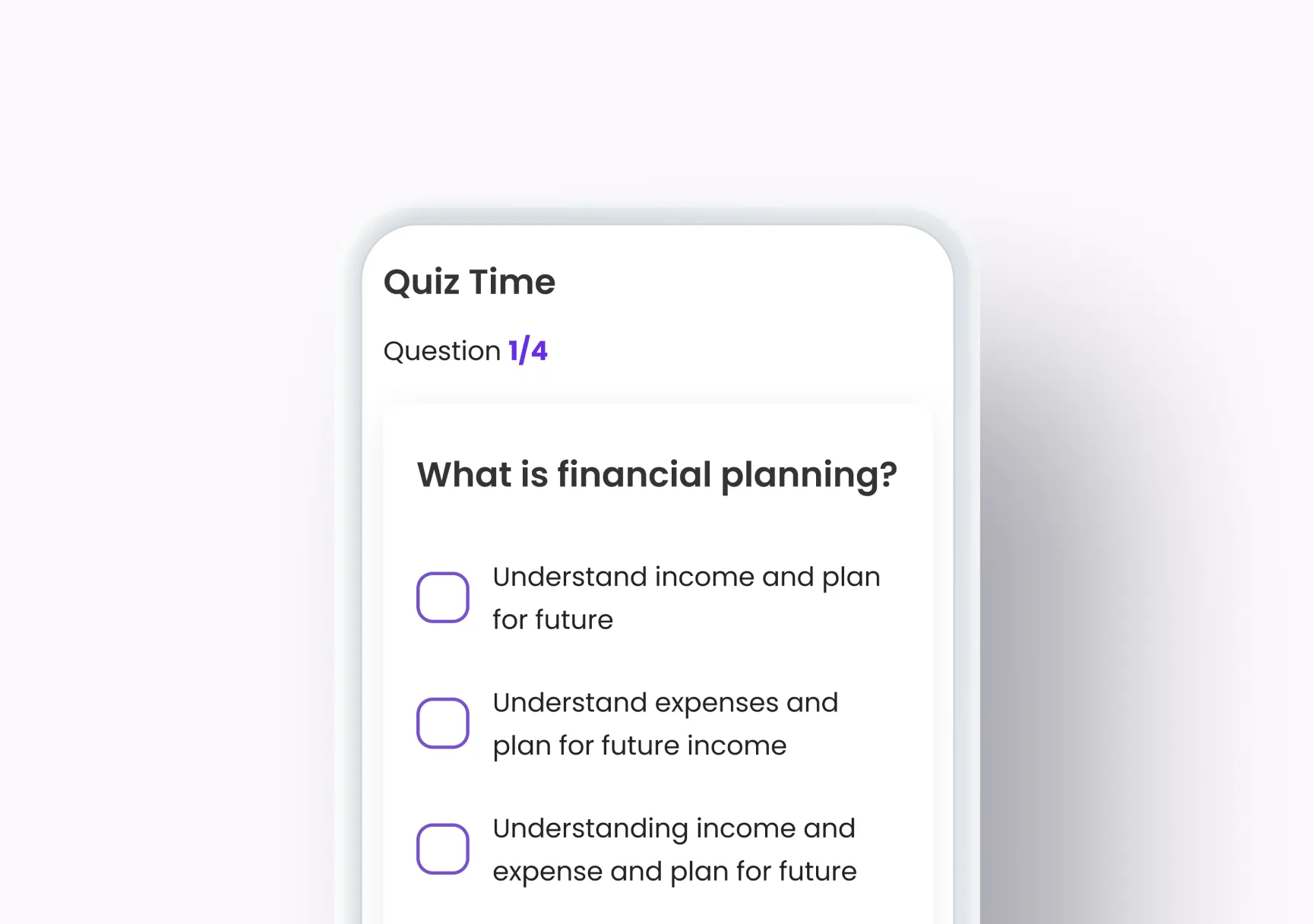
- Short quizzes meant to improve confidence, not to test knowledge, with instant feedback on every answer.
Why
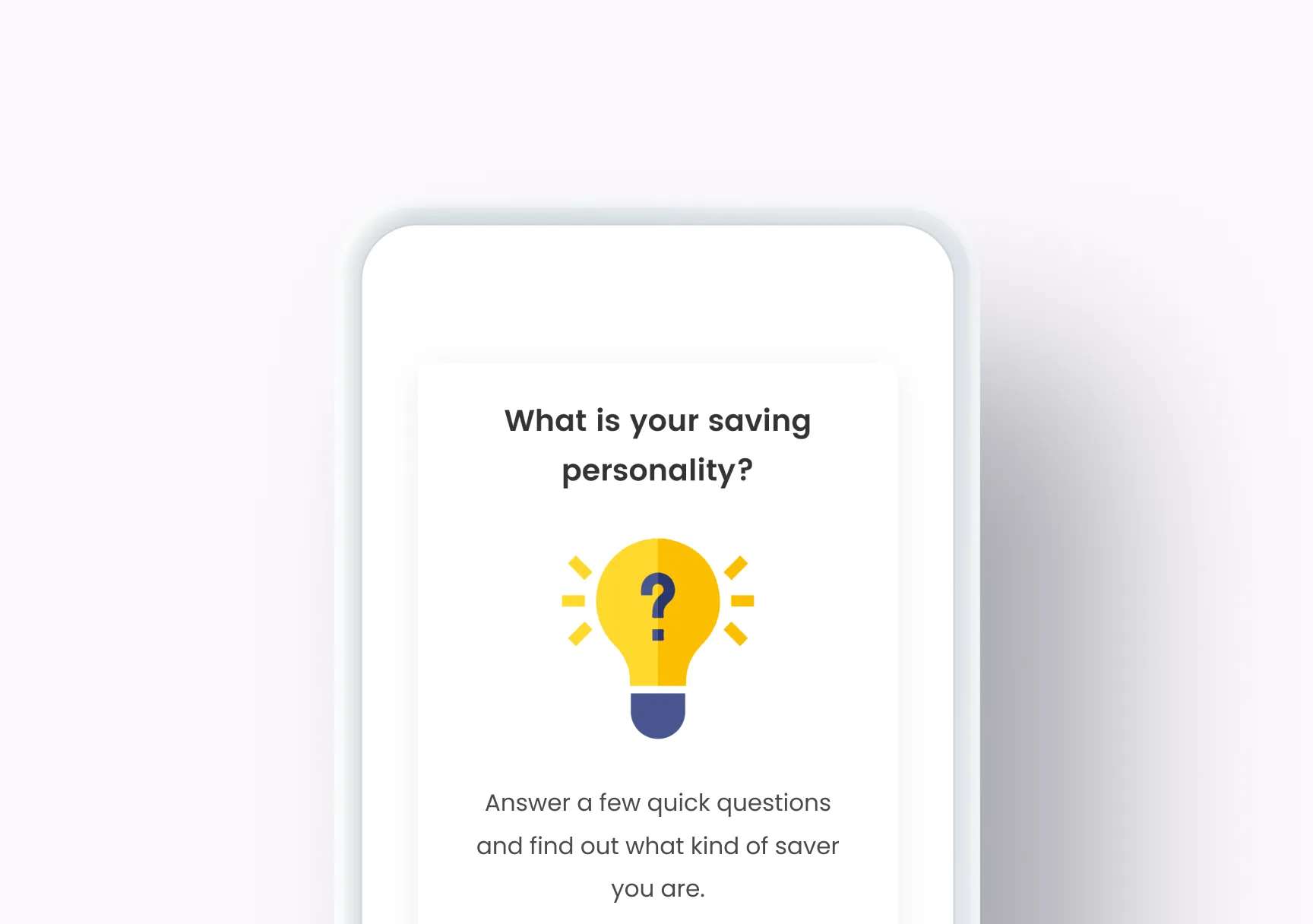
The quizzes weren’t there to test anyone. They were there to improve confidence: to give a learner quick proof that they’d understood something, with instant feedback on each answer and progress they could be proud of. A handful of questions at a time, framed around the learner (“What is your saving personality?”) rather than around a score.
Decision 05
Calculators for the “show me the number” moments
- On the table
- A plain form of inputs
- A calculator with a guide who walks you through it
- What I chose
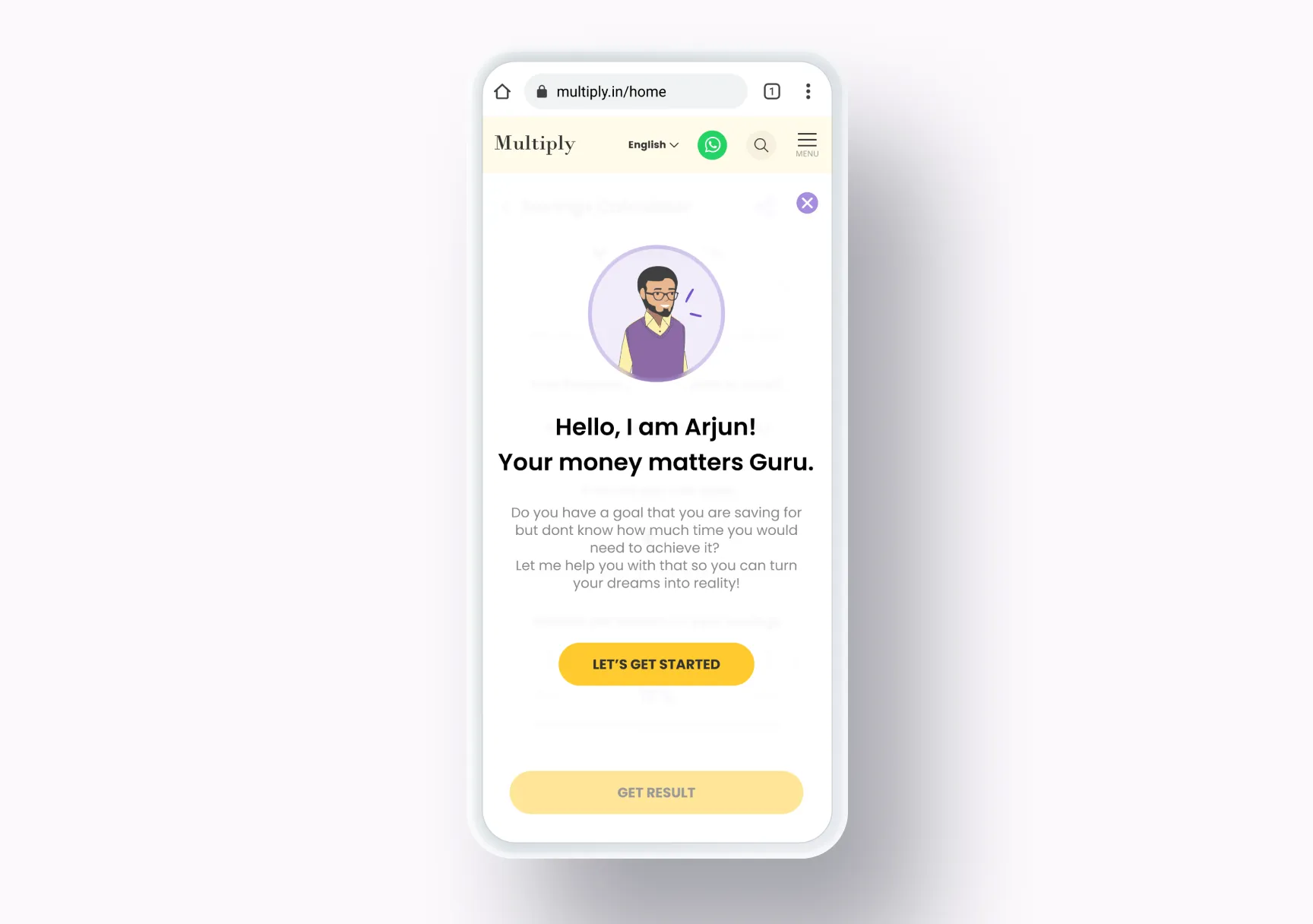
- Calculators introduced by a character, Arjun, that turn the learner’s own numbers into a plain result and point to the guides that go with it.
Why
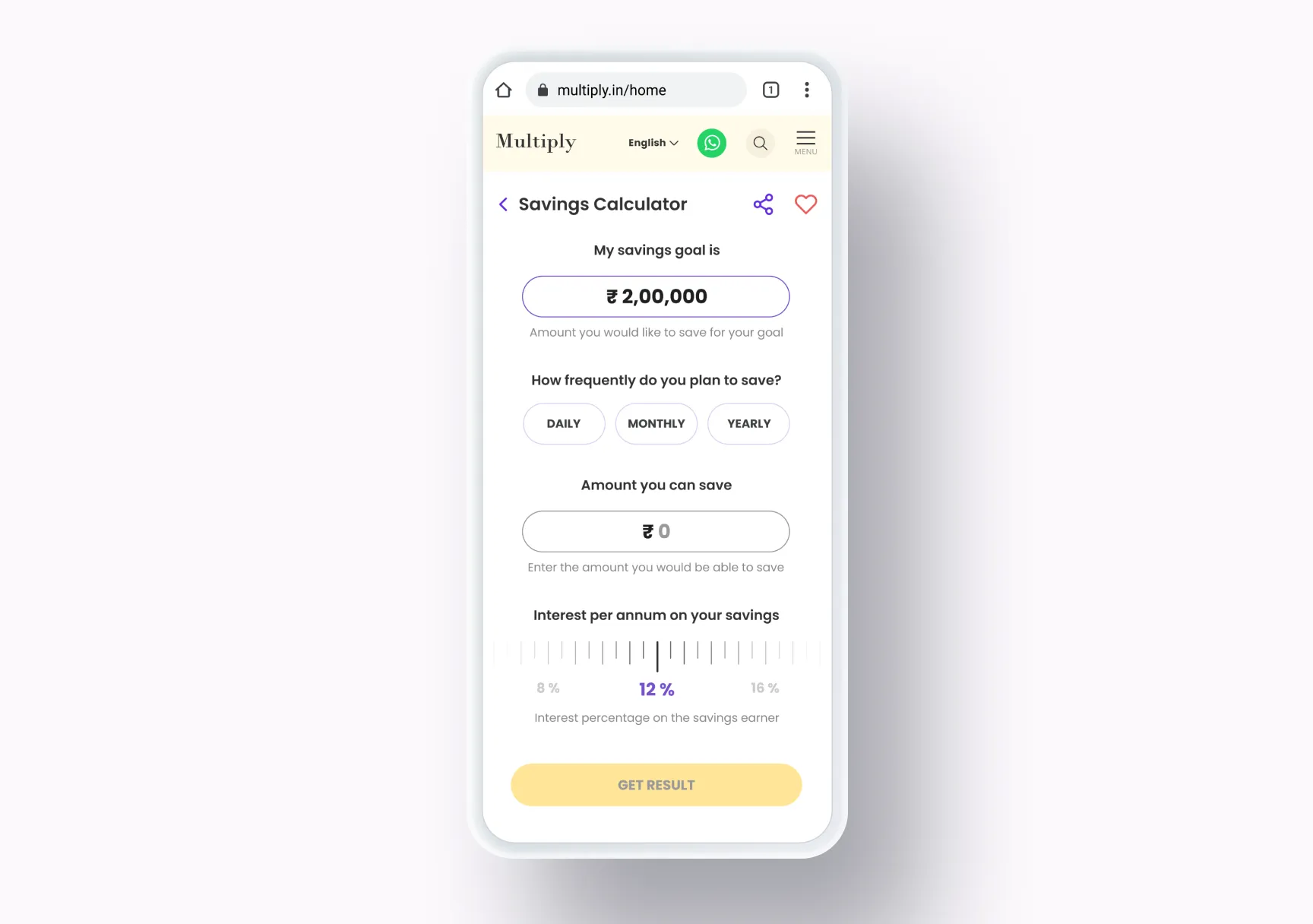
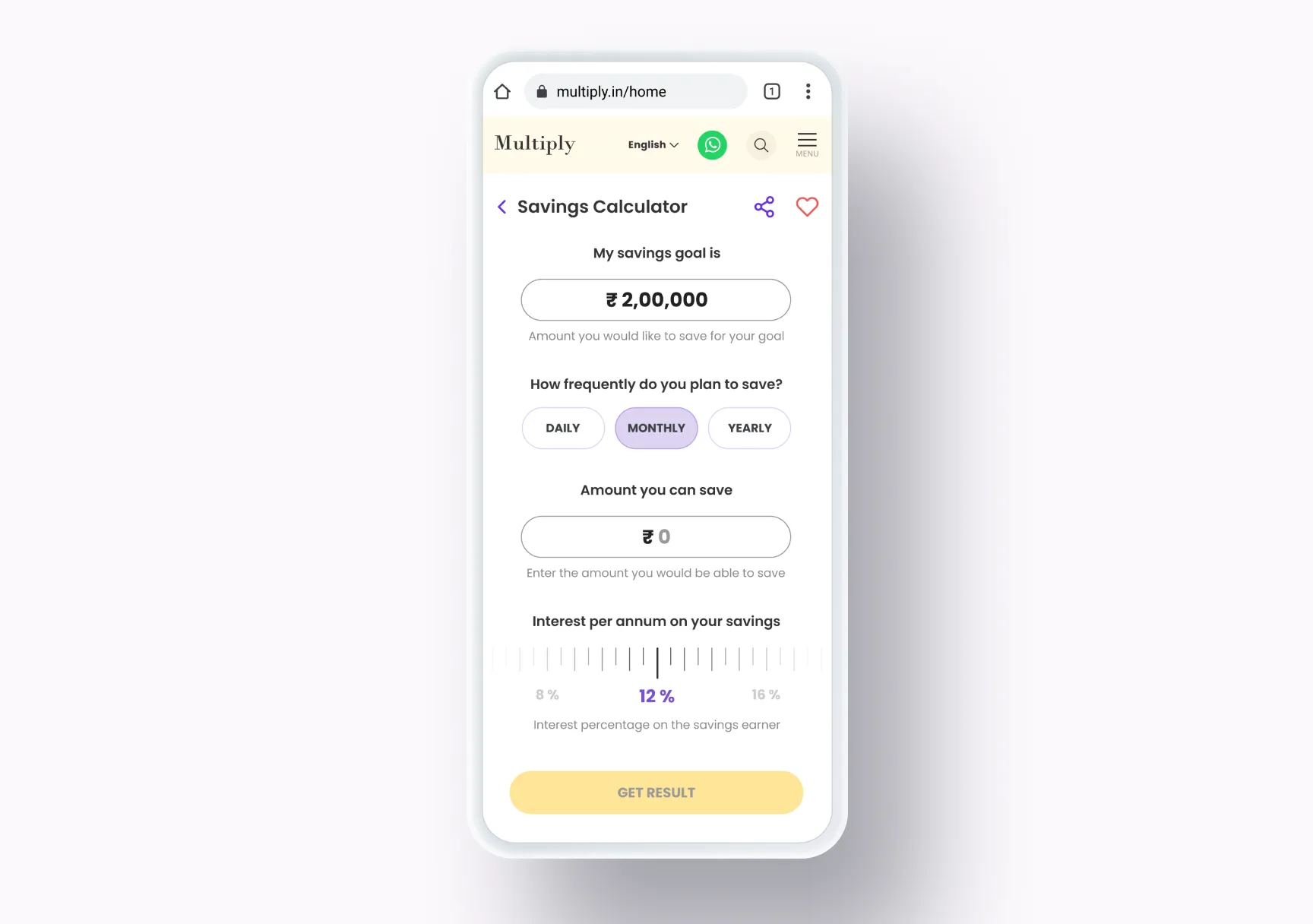
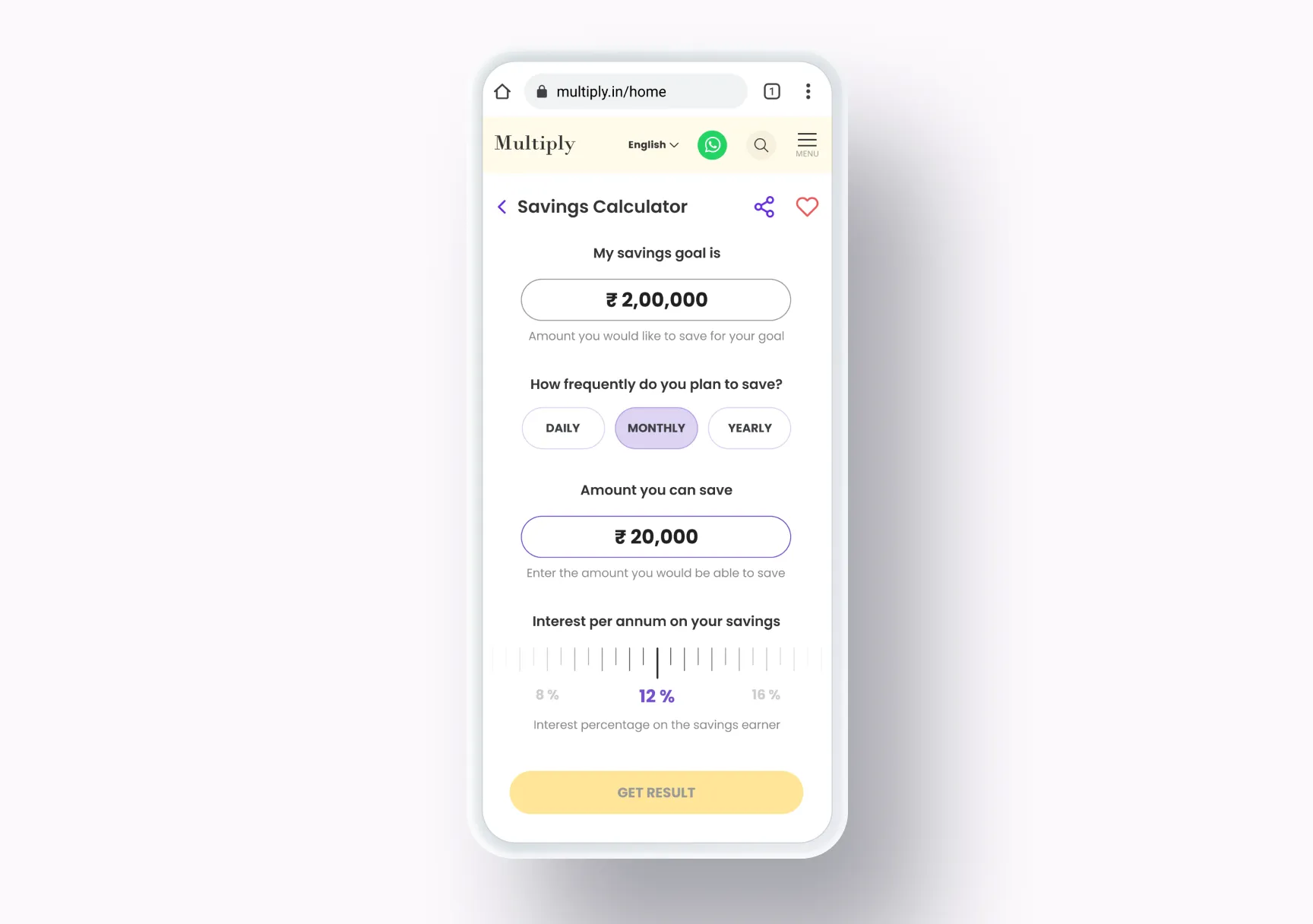
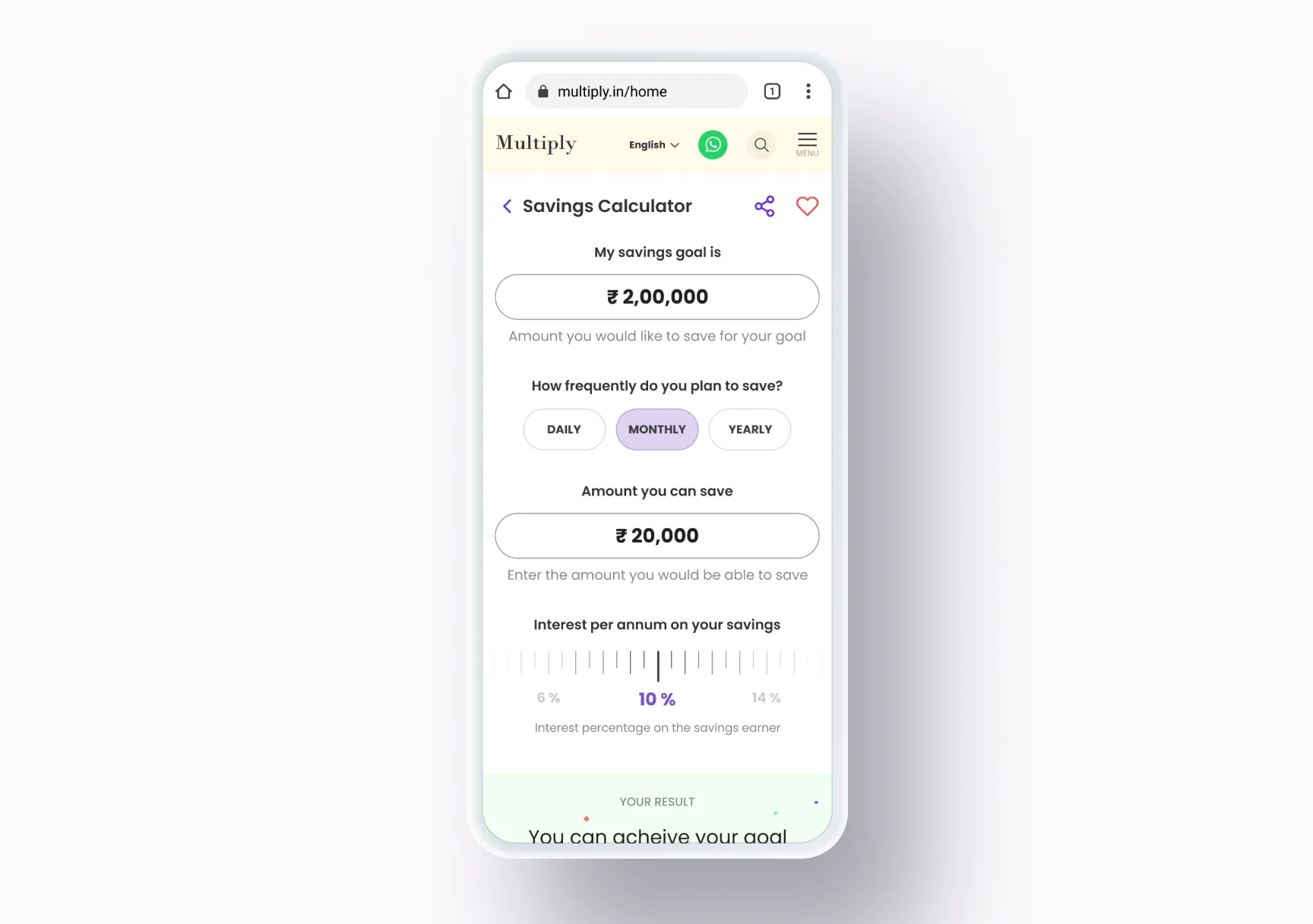
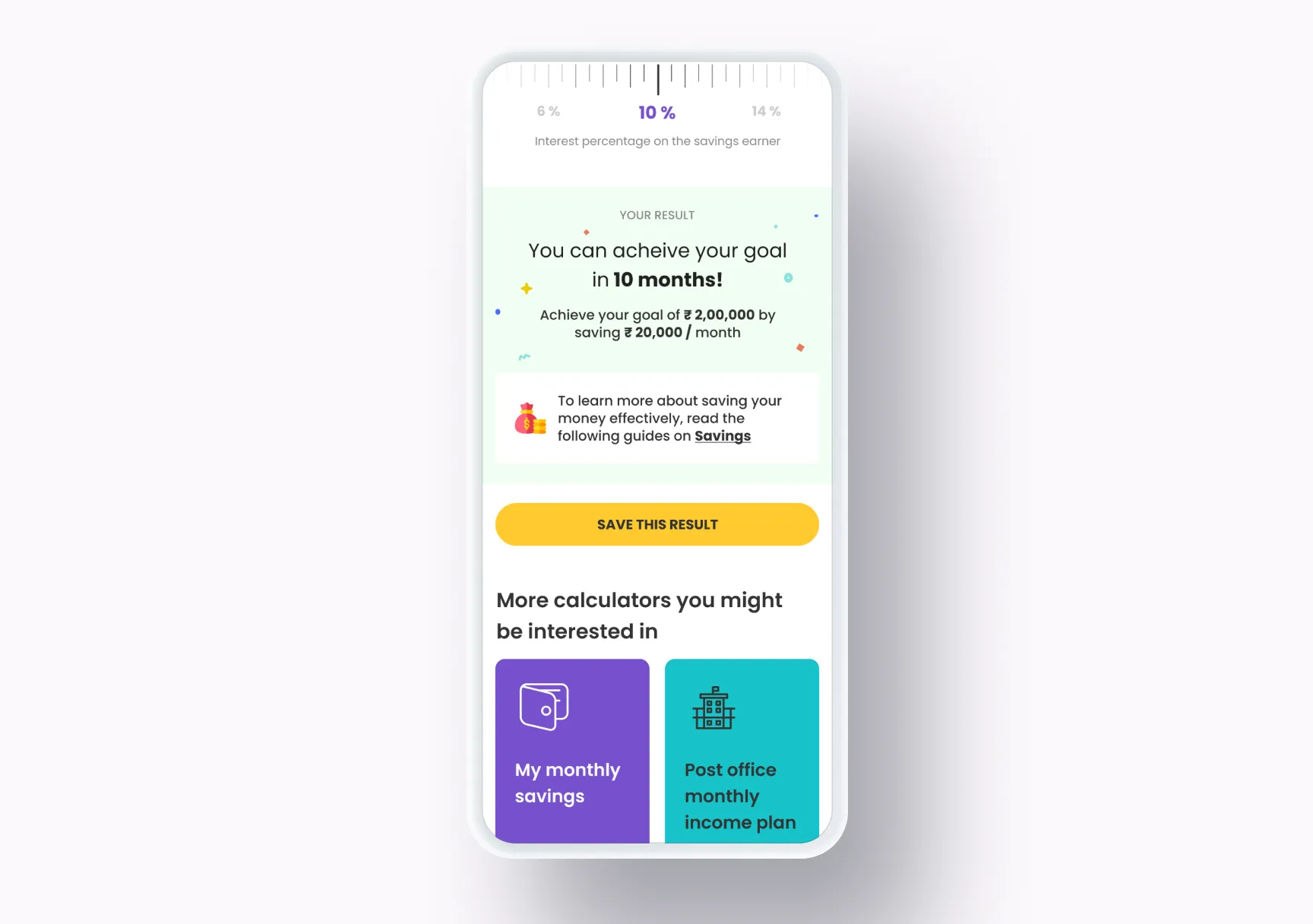
Some ideas don’t click until you plug in your numbers and watch the result. Arjun, “your money matters guru”, opens with a question the learner might actually have: a goal they’re saving for, and how long it will take. The savings calculator asks for the goal, how often you can save, how much, and the interest rate, then answers in a sentence (“You can achieve your goal in 10 months!”). The result links to the guides on savings, can be saved, and sits above more calculators to try.
Results
Multiply shipped as a non-profit financial-literacy platform under Creador Foundation. Per-user learning metrics aren’t mine to share, and I’m not going to invent them. What I stand by from the work itself:
- Regional-language delivery held up as a design constraint end-to-end: the platform didn’t default to English anywhere that mattered.
- The pedagogy structure (modules → chapters → lessons → quizzes → jargon → calculators) cohered as a single learning system, not a stack of features.
- Two designers in three months shipped a functionally complete v1 with the design system to keep it maintainable afterwards.
What I learned
- Design in the regional language from the start. A platform built in English first never feels native in another language, however good the translation.
- Mobile-first meant designing for the bus ride. The thumb and the short attention window shaped every screen.
- Predictability is a teaching aid. Showing the whole study plan before Chapter 1 lets the learner enter the material calmly, instead of wondering how much more of this there is.
What I’d do differently
I’d build Multiply inside WhatsApp, not as a web app.
The audience already lives on WhatsApp: it’s the app that survives the “phone is low on storage, delete something” moment. Multiply as a web app is one bookmark away from being forgotten. Multiply as a WhatsApp experience (chapters delivered as messages, quizzes as button replies, jargon lookup as an inline command, gentle nudges when a learner hasn’t opened it in a week) would ride on infrastructure the user already trusts, and it wouldn’t feel like learning at all. It would feel like a friend explaining money.
Follow-up on progress is built into the medium; friction to open is roughly zero; the medium’s message-based rhythm matches the small-attention-window reality of the audience better than any web layout can.
If I were briefed on Multiply again in 2026, that’s the version I’d fight for.
Credits
- Design (with me): a senior designer at HumanX; together we covered UI, UX, visual exploration, and the design system
- Client: Multiply, a non-profit initiative of the Creador Foundation